Build CI/CD pipelines
The repository includes two main workflows and one supporting workflow. Both main workflows run the same Fluent API tests but differ in how they handle failures.
Workflow 1: Test Flight Booking Fluent - Kahu
File: test_adk_flight_booking_fluent_kahu.yml
This workflow runs the agent tests and, on failure, creates a GitHub issue and triggers the Kahu SRE Agent for automated root cause analysis.
graph LR
    A[Run Tests] -->|Fail| B[Resolve Traces]
    B --> C[Call Kahu SRE Agent]
    C --> D[Create Issue with Analysis]
How it works
-
Run tests with
continue-on-error: trueso the workflow continues past failures: -
Resolve traces from Okahu Cloud using the GitHub run ID:
- name: Resolve traces via Kahu id: traces if: steps.test.outcome == 'failure' || steps.test.outputs.test_exit_code != '0' env: OKAHU_API_KEY: ${{ secrets.OKAHU_API_KEY }} APP: ${{ secrets.CICD_OKAHU_APP_NAME }} QUERY: investigate test failure on github_${{ github.run_id }} run: python scripts/kahu_resolve_traces.py -
Call the Kahu SRE Agent with the trace IDs to get root cause analysis:
- name: Call Kahu SRE Agent id: kahu if: steps.test.outcome == 'failure' || steps.test.outputs.test_exit_code != '0' env: OKAHU_API_KEY: ${{ secrets.OKAHU_API_KEY }} APP: ${{ secrets.CICD_OKAHU_APP_NAME }} QUERY: investigate test failure on github_${{ github.run_id }} TRACE_IDS: ${{ steps.traces.outputs.trace_ids }} run: python scripts/kahu_call_agent.py -
Create a GitHub issue with the full test output and Kahu analysis embedded:
- name: Create GitHub Issue with Kahu analysis
  id: create_issue
  if: steps.test.outcome == 'failure' || steps.test.outputs.test_exit_code != '0'
  env:
    GH_TOKEN: ${{ secrets.GH_PAT || secrets.GITHUB_TOKEN }}
    WORKFLOW_NAME: test_adk_flight_booking_fluent_kahu.yml
    TEST_FILE: test_adk_flight_booking_fluent.py
    TEST_OUTPUT_PATH: test_output.txt
    KAHU_RESPONSE: ${{ steps.kahu.outputs.response }}
  run: python scripts/create_failure_issue.py
Workflow 2: Test Flight Booking Fluent - Claude + Okahu Eval
File: test_adk_flight_booking_fluent_auto_pr_claude_okahu_eval.yml
This workflow also runs the tests and creates an issue on failure, but goes further — it assigns Claude as an AI coding agent to investigate, fix the code, and run Okahu evaluations.
graph LR
    A[Run Tests] -->|Fail| B[Resolve Traces]
    B --> C[Call Kahu SRE Agent]
    C --> D[Create Issue with Analysis]
    D --> E[Assign Claude Agent]
    E --> F[Claude Investigates]
How it works
-
Run tests — same as Workflow 1, with traces sent to Okahu Cloud via
MONOCLE_EXPORTER: okahu. -
Resolve traces and call Kahu — same as Workflow 1: resolve trace IDs, call the Kahu SRE Agent, and create an issue with the test output and Kahu analysis embedded.
-
Assign Claude to the issue using the GitHub GraphQL API:
- name: Assign Claude agent
  if: steps.test.outcome == 'failure' || steps.test.outputs.test_exit_code != '0'
  env:
    GH_TOKEN: ${{ secrets.GH_PAT || secrets.GITHUB_TOKEN }}
    ISSUE_NUM: ${{ steps.create_issue.outputs.issue_number }}
  continue-on-error: true
  run: |
    set -euo pipefail
    ISSUE_NODE_ID="$(gh api "repos/${{ github.repository }}/issues/${ISSUE_NUM}" --jq .node_id)"
    QUERY="$(printf 'mutation { addAssigneesToAssignable(input: { assignableId: "%s", assigneeIds: ["BOT_kgDODnPHJg"] }) { assignable { ... on Issue { assignees(first: 10) { nodes { login } } } } } }' "$ISSUE_NODE_ID")"
    gh api graphql -f query="$QUERY"
    COUNT="$(gh api "repos/${{ github.repository }}/issues/${ISSUE_NUM}" --jq '[.assignees[] | select(.login == "Claude")] | length')"
    if [ "${COUNT}" -eq 0 ]; then
      echo "::warning::Claude was not assigned. Set GH_PAT (repo/issues) or assign Claude in the UI."
      gh issue comment "${ISSUE_NUM}" --body "Automated assign to Claude did not apply. Assign **Claude** in the sidebar, or add a \`GH_PAT\` secret and re-run." || true
    fi
Once assigned, Claude reads the issue — which already contains the test output and Kahu's root cause analysis — then investigates the failure using Okahu MCP tools and posts its findings as a comment.
Key difference
| Kahu workflow | Claude + Okahu Eval workflow | |
|---|---|---|
| Failure response | Issue created with Kahu RCA embedded | Issue created with Kahu RCA + Claude assigned to investigate |
| Agent | Kahu SRE Agent (analysis only) | Claude Code (reads Kahu analysis, investigates further) |
| Issue content | Test output + Kahu analysis | Test output + Kahu analysis + Claude's findings |
| Permissions | contents: read |
contents: write, pull-requests: write |
Kahu SRE Agent workflow
File: kahu_sre_agent.yml
This supporting workflow is triggered by @kahu-agent mentions in issue comments. It is not part of the automated failure flow — Kahu analysis is already embedded in the issue when it is created. Use this workflow to ask Kahu follow-up questions interactively.
What it does
- Checks org membership to restrict execution to authorized users
- Extracts the query from the
@kahu-agentcomment (e.g.,investigate test failure on github_12345 for app my_app) - Resolves trace IDs by calling the Okahu API with the GitHub run ID, then fetches span details for each trace to build context
- Calls the Kahu SRE Agent API with the full query and trace context
- Posts the analysis back as a comment on the issue
if: |
  (
    (github.event_name == 'issue_comment' && contains(github.event.comment.body, '@kahu-agent'))
  )
Ask Kahu follow-up questions
Comment @kahu-agent <your question> on any issue to ask Kahu follow-up questions — for example, @kahu-agent why did step 3 fail? or @kahu-agent compare this trace to the previous run.
Running the workflows
- Go to the Actions tab in your forked repository
- Select either workflow from the left sidebar
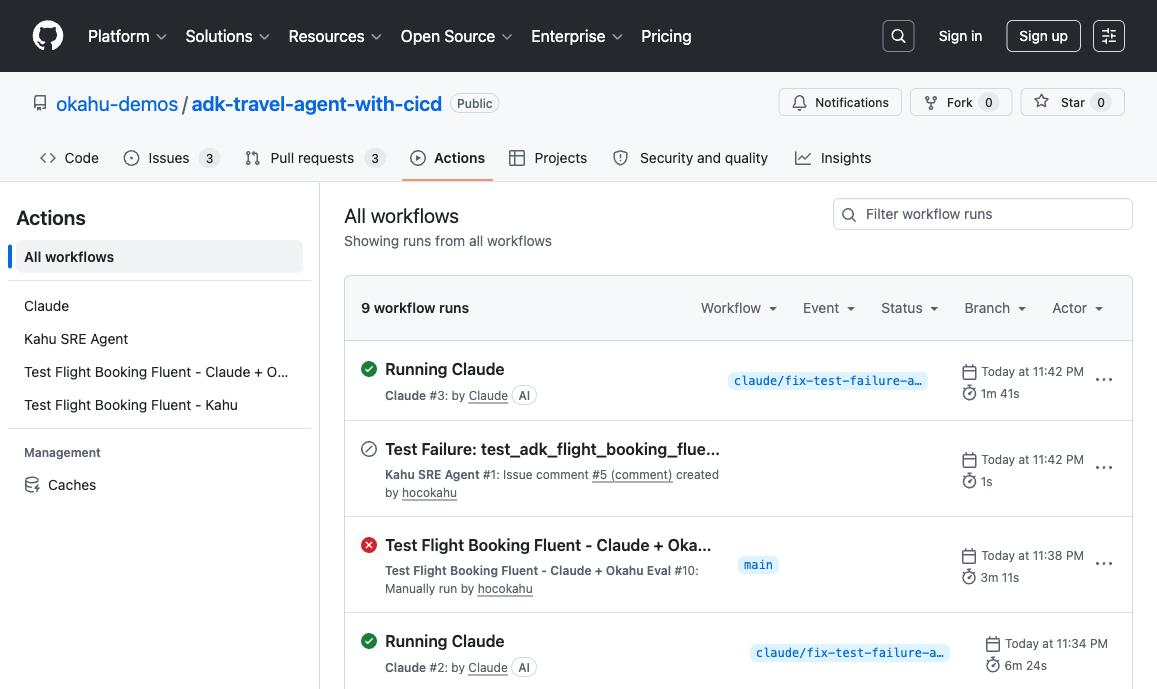
- Click Run workflow to trigger it manually
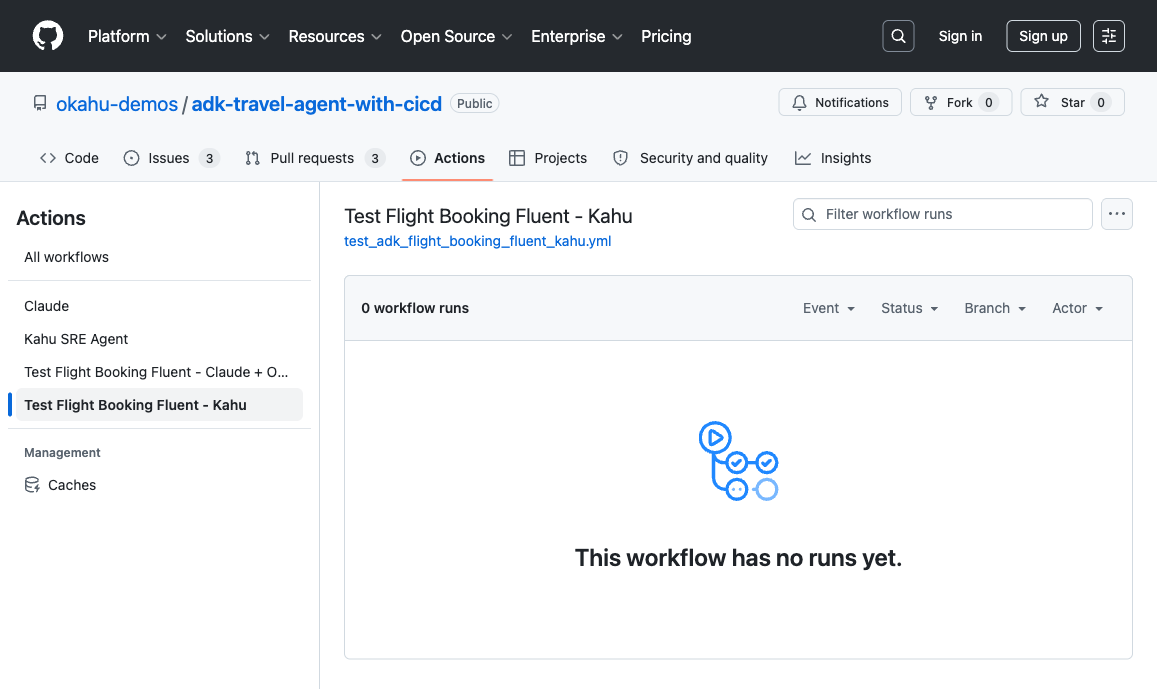
Start with Kahu
Run the Kahu workflow first to see the automated RCA flow. Once you're comfortable with how traces and issues work, try the Claude + Okahu Eval workflow for the full autonomous remediation loop.