Exercise the Agent & Analyze Traces
Start the Weather MCP server
# Start the Weather MCP Server:
python weather-mcp-server.py &

# If you need to stop it later, find the process ID with:
ps aux | grep weather-mcp-server.py

# And kill it with:
kill <PID>
Run the agent
Run your agent from the VS Code terminal:
Input test queries
Try the following test queries:
-
Book a flight from ATL to SFO on 2nd June 2026 -
Book a flight from SFO to BOM next week. Book a Marriott hotel in central Mumbai. Also what's the weather going to be in Mumbai next week? -
Book a flight from ALT to SFO on June 8, 2026 and book a hotel in San Francisco, CA from June 8 to June 10 at the Marriott. Also, what's the weather going to be like in San Francisco June 8 to June 10 2026? -
Book a flight from SFO to LAX next week and also book a Hilton hotel
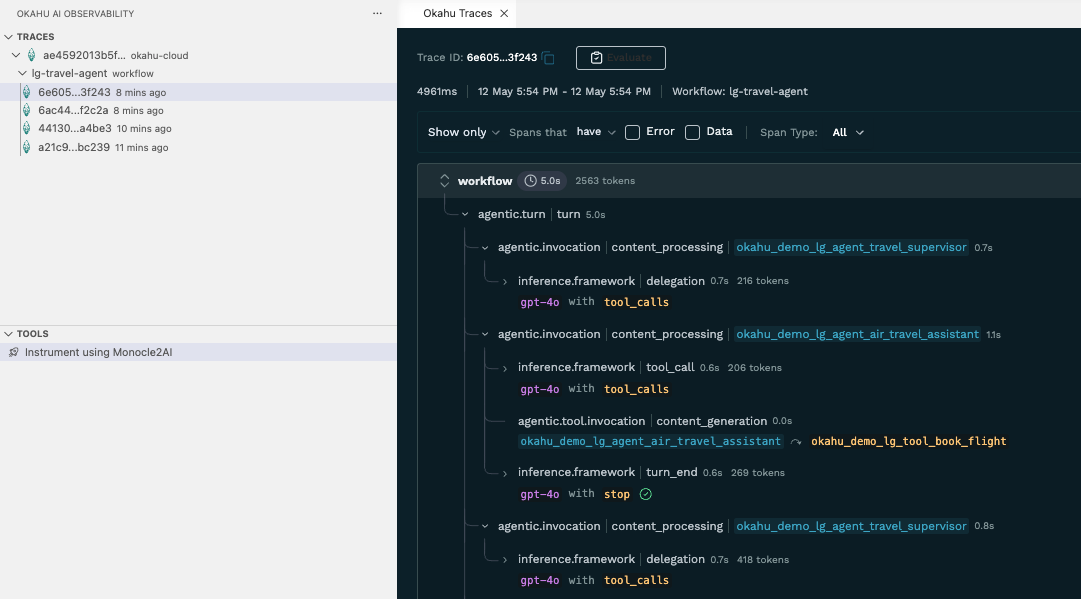
View traces in the Okahu extension
- Open the Okahu Extension view in the sidebar
- Select Edit Workflows to see a live-updating list of spans Note: Here are the steps: Hover over the okahu-cloud row → click the funnel icon that appears on the right → select Edit workflows.

- Click on a trace to see the nested spans (LLM calls, tool usage, etc.)