Evaluate AI agents
A test that runs your agent, checks what it did, and judges its answer:
import pytest

@pytest.mark.asyncio
async def test_books_the_right_flight(monocle_trace_asserter):
    await monocle_trace_asserter.run_agent_async(
        travel_agent, "google_adk", "Book a flight to Mumbai on 22 Nov")

    # Exact checks: fast, and the same answer every run
    monocle_trace_asserter.called_tool("book_flight").contains_input("Mumbai")
    monocle_trace_asserter.under_token_limit(2000)

    # A judgement call: let an eval decide
    monocle_trace_asserter.with_evaluation("okahu") \
        .check_eval("hallucination", expected="no_hallucination")
That one test shows the whole idea. Check in code what you can state exactly. Use a judge for what needs judgement. Run it on every version, and later over live traffic.
Why bother
A demo that works once is not proof. Agents are non-deterministic: the same prompt can pick a different tool, take a different path, or return an answer that reads fine and is wrong. To ship with confidence you need checks you can repeat, not a vibe check.
The four pieces (new to these? start here)
| Piece | What it is | You use it to |
|---|---|---|
Monocle (monocle_apptrace) |
Open-source tracing for AI apps | Record every agent, tool, model, and retrieval step as a trace |
Monocle test tools (monocle_test_tools) |
A pytest plugin | Run your agent, assert on its trace, and call evals from tests |
| Okahu | The platform behind it | Store traces, run the evals, keep labels, watch tokens, latency, and errors |
okahu@skills |
A Claude Code plugin | Guided workflows: instrument an app, write tests, author evals |
Monocle is open source and runs in your code. Okahu is the hosted service the traces and evals go to. You can read traces and run evals from the portal, a VS Code extension, or an API.
An eval is one LLM-as-a-judge check: a judging prompt with a fixed set of labels, like
hallucination → hallucination / no_hallucination. Okahu ships a set of built-in evals, and
you can write your own.
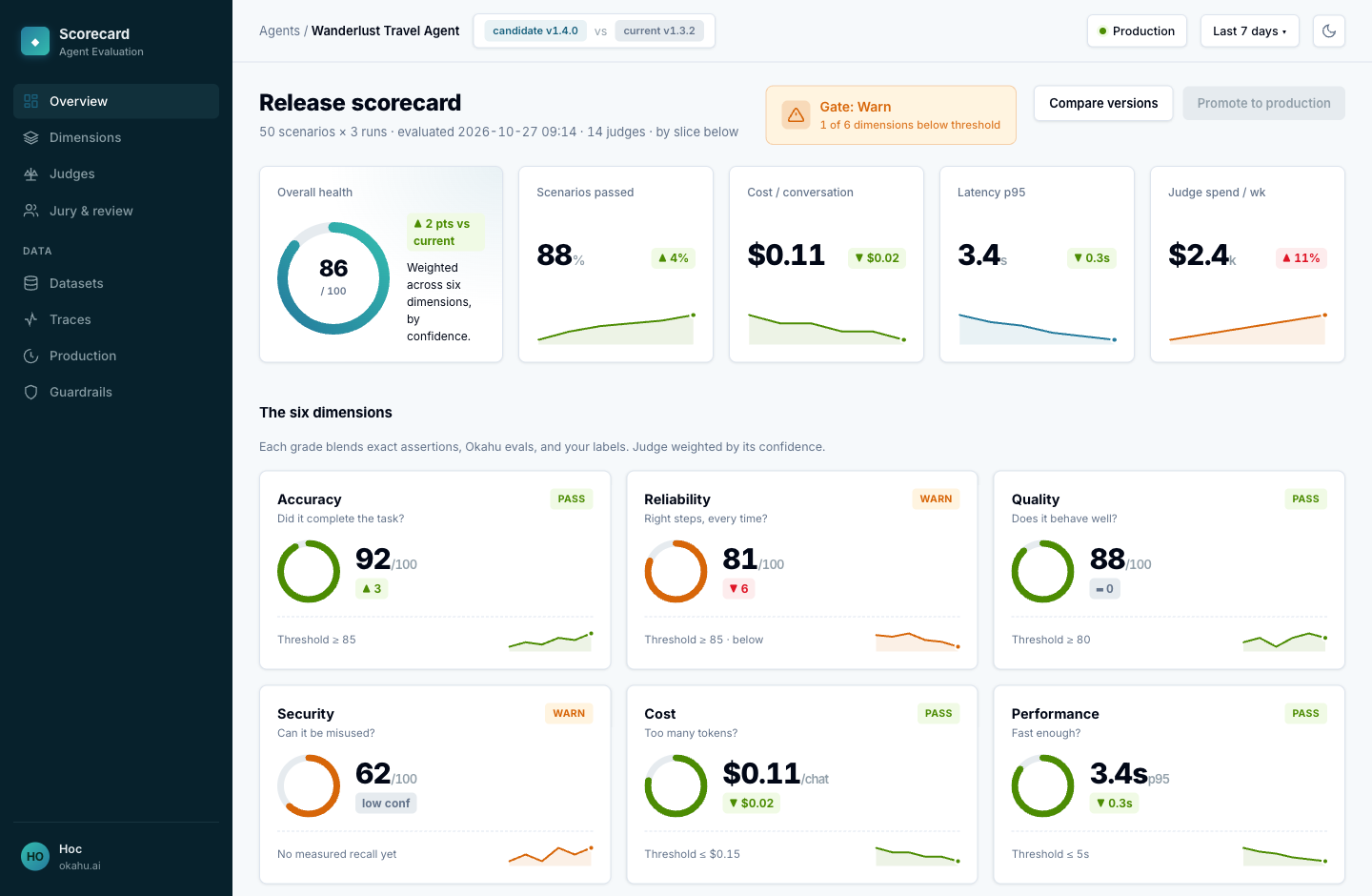
The scorecard you are building
You grade the agent on six things. Each grade combines more than one signal: exact checks in code, an eval where the answer needs judgement, and your own labels to settle disagreements.
| Dimension | Question |
|---|---|
| Accuracy | Did it complete the task? |
| Reliability | Does it take the right steps, every time? |
| Quality | Does it behave well? |
| Security | Can it be misused? |
| Cost | Does it use too many tokens? |
| Performance | Is it fast enough? |
Illustration only
The dashboard below is a mock-up drawn for this guide. It is not an Okahu product screen.
Where to go next
The pages follow the workflow end to end:
- Quickstart — run your first eval on a traced agent.
- Create test scenarios — generate realistic conversations to test against.
- Check agent behaviour — every assertion type, with code.
- Label, review & regress — record your judgement and turn failures into tests.
- Monitor in production — keep the checks running over live traffic.
- The agent scorecard — roll it all into one view of agent health.
- Reference — environment variables and the API.