The agent scorecard
Each grade is built from checks like these. A reliability check, in code:
@pytest.mark.asyncio
async def test_asks_before_booking_without_a_date(monocle_trace_asserter):
    await monocle_trace_asserter.run_agent_async(
        travel_agent, "google_adk", "Book me a flight to Mumbai")   # no date given

    monocle_trace_asserter.does_not_call_tool("book_flight")        # must ask first
    monocle_trace_asserter.with_evaluation("okahu") \
        .check_eval("answer_relevancy", expected="relevant")        # did it ask a useful question?
A scorecard rolls many checks like this into one view of the agent's health.
Six dimensions
Grade the agent, not the evals. Use more than one kind of evidence for each grade. Prefer an exact check (calls, inputs and outputs, limits, code-based checks) wherever one can answer the question. Use an eval where it needs judgement. Use your own labels to settle disagreements.
| Dimension | Question | Exact checks | Evals | Your labels and telemetry |
|---|---|---|---|---|
| Accuracy | Did it complete the task? | Required tool called with the right arguments; output contains required fields; code-based checks | correctness, answer_relevancy, conversation_completeness, custom task evals |
Manual labels; scenario success criteria |
| Reliability | Does it take the right steps, every time? | called_tool, called_agent, does_not_call_*, call counts, mock-tool failures, multi-turn; repeat runs |
answer_relevancy, knowledge_retention, role_adherence |
Scenario pass rates; error groups |
| Quality | Does it behave well? | Format, keyword, and JSON checks | sentiment, frustration, offtopic, role_adherence, hallucination, argument_correctness |
Manual labels |
| Security | Can it be misused? | does_not_call_tool for forbidden actions; forbidden-keyword checks |
misuse, pii_leakage, toxicity, bias |
Red-team and out-of-scope scenarios |
| Cost | Does it use too many tokens? | under_token_limit |
none needed | Token measures and budgets |
| Performance | Is it fast enough? | under_duration |
none needed | Latency measures and SLAs |
An eval is one input to a grade, not the whole grade. Pair it with an exact check and your own labels so a single judge never decides a dimension on its own.
Illustration only
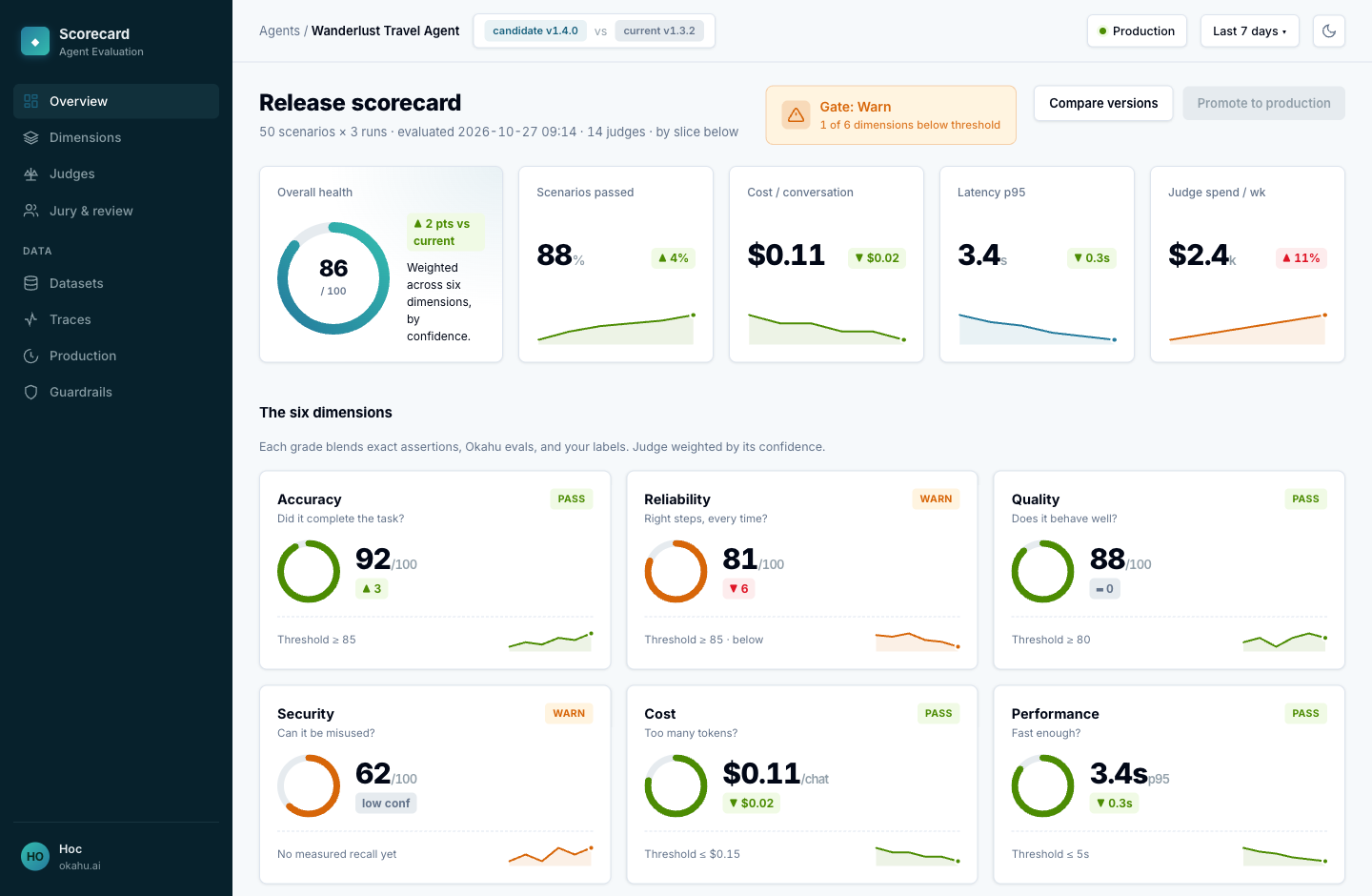
The dashboard below is a mock-up drawn for this guide. It is not an Okahu product screen.
Read it by slice
An average hides a group that fails badly. In the example above the agent looks healthy overall, but the "change or cancel a booking" slice fails on reliability. Grade each scenario, persona, or route on its own, not just the whole.
Two scorecards
| Before launch | After launch | |
|---|---|---|
| Question | Is this version ready to ship? | Is the live agent still behaving as it did at release? |
| Data | Scenarios you generate and run | A sample of live traffic |
| What leads | Exact checks, because scenarios state what to expect; evals cover the rest | Evals and telemetry, because live traffic has no stated expectations |
| Output | Pass, warn, or fail per dimension against your thresholds; a release gate | Each dimension over time; drift and alerts |
The two connect. A failure you catch in production becomes a new scenario the next version's pre-launch scorecard has to pass.
Put it together
- Instrument the agent so every run is traced.
- Write checks for each dimension (Check agent behaviour).
- Set a threshold per dimension and gate each new version on it.
- After launch, run the same checks over sampled traffic and watch the trend.